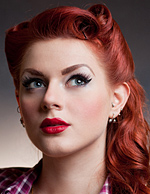
All New! All New! Photoshop ® for Artists
Finally, that long-awaited workshop that takes the
mystery out of
the premier image editing tool:
Photoshop ®. This is the de-facto piece of software
that is essential to managing and manipulating
images, and we will unlock its secrets for you.
Most of Photoshop ® is useless for the artist who
wants to improve and print photographic reference,
because there are very few controls and filters in
Photoshop® that actually make a photograph look
better. In this course, you will learn the most useful
tools, and learn how to by-pass useless filters and
tools that will actually degrade the image.
This program builds a solid understanding of the
tools and concepts necessary to realize your visual
goals, and lays out the path to absolute control
over your digital ambitions.
What will be covered in this workshop
• The basics • Getting to know the tools • Useful
keyboard shortcuts • All about layers • Using selec-
tion tools and masks • Improving existing photo-
graphs • Correcting poorly exposed photographs
• Removing backgrounds and unwanted subjects
• Avoiding pitfalls when combining multiple photo-
graphs • Creating line art from a photograph or
illustration • The power of alpha channels • Clip-
ping paths for smooth selections • The importance
of curves and levels • Taking better photographs
for digital editing. • Photographing your artwork for portfolio and reproduction • Reasons to avoid many filters • The things that Photoshop does very well and those things it does not • Making the most of adjustment layers • Layer masks, now you see it now you don’t • Scanning know-how • Understanding resolution • Creating original art from scratch • Adding text • Layer FX • The differences between raster and vector based images • Resizing images • Guides, grids and other alignment tools • File formats
No previous Photoshop experience is necessary. However, students will be required to have a basic understanding of computer operation, such as how to turn on a computer, open a file, etc.Students are welcome to bring their own laptop, or rent one of our Windows based lap tops for $100. Trial Photoshop software will be provided.
Class is limited to 13 and will be filled on a first-come, first-served
basis. This 2-day workshop will include over 28 total hours of instruction. Class date is Jan 19-20, 2015. To learn more about upcoming workshops, be sure to sign
up for our free newsletter.
|